 Uzair
Uzair 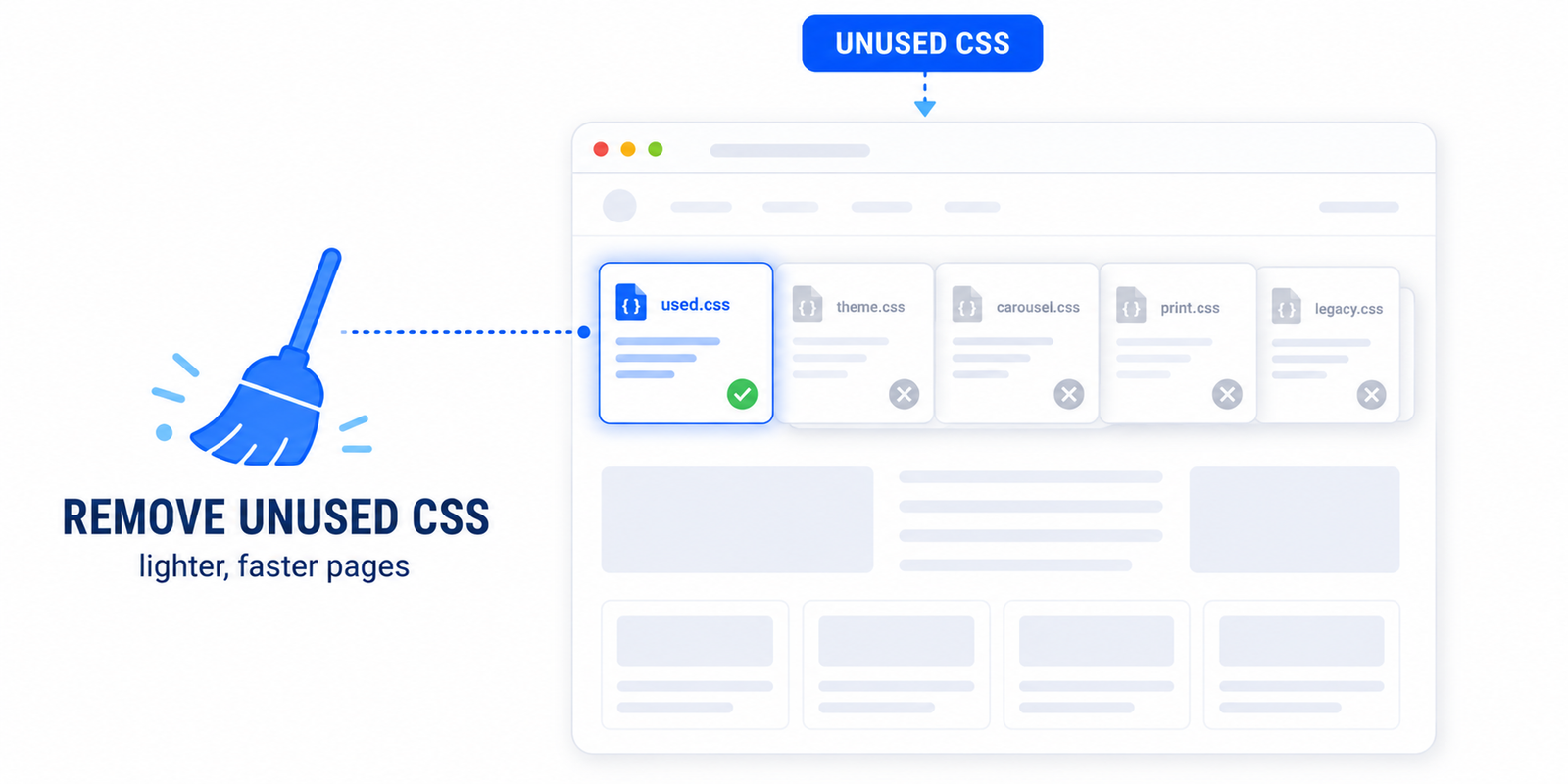
Unused CSS is stylesheet code your page loads but never uses, which blocks rendering and slows your site. Reduce it by generating per-page "used CSS" and loading the rest without blocking — then test interactive elements like menus and sliders, and safelist anything that breaks before going live. Easy Optimizer does this automatically
If PageSpeed Insights keeps flagging “Reduce unused CSS,” you are not alone — it is one of the most common warnings on WordPress sites, and one of the most misunderstood. The fix can shave hundreds of kilobytes and noticeably speed up rendering, but done carelessly it can also break your layout. This guide explains what the warning means, why WordPress is especially prone to it, and how to clear it safely.
What “reduce unused CSS” actually means
Every page on your site loads CSS — the code that controls colours, spacing, and layout. “Unused CSS” is the portion of that code the current page never actually applies. A typical WordPress page uses only a small fraction of the CSS it downloads; the rest sits in the browser, parsed and held in memory for nothing.
This matters for two reasons. CSS is render-blocking by default: the browser will not paint your page until it has downloaded and processed your stylesheets, so excess CSS directly delays what your visitor sees. And the extra bytes add weight that slows every load, especially on mobile. Reducing unused CSS therefore improves both your Largest Contentful Paint and your overall PageSpeed score.
Why WordPress loads so much unused CSS
The culprit is rarely one thing — it is the stack:
- Your theme ships a global stylesheet that covers every possible template, even though any single page uses a slice of it.
- Page builders like Elementor, Divi, and Bricks load large CSS frameworks site-wide to support every widget you might use.
- Plugins each enqueue their own stylesheets on every page, whether or not that page contains their feature — a contact-form plugin loading its CSS on your blog posts, for example.
The result is a homepage that pulls in CSS for sliders, forms, galleries, and shop pages it does not contain. Multiply that across a real plugin stack and the unused share often passes 70–90%.
The two ways to reduce it
There are two reliable approaches, and the best tools combine them:
- Generate “used CSS” per page (the effective fix). A tool scans what each page or template actually uses, builds a small stylesheet containing only that, and loads it inline so it is instant. The original bulky stylesheets are then removed or deferred. This is what delivers the big wins.
- Defer the rest (the safety net). Any remaining CSS is loaded asynchronously so it no longer blocks the first paint. The page renders immediately and non-critical styles fill in afterwards.
The risk: breaking your site (and how to avoid it)
Removing CSS is aggressive by nature, and the danger is stripping out something the page genuinely needs but that the scanner could not see — most often:
- Hover and focus states that only appear on interaction.
- Styles for content injected by JavaScript after the page loads (pop-ups, AJAX results, dynamic carousels).
- Menu, slider, and accordion states that are hidden until triggered.
The way to stay safe is a deliberate process: enable the feature, clear your cache, then walk through your key templates — homepage, a post, a page, your shop, your contact page — and actually interact with them. Open the mobile menu, hover the buttons, run the slider, submit a form. If anything looks wrong, add the affected selector or stylesheet to a safelist (an exclusion list) so it is preserved, then re-test. Never push a “remove unused CSS” change live without this pass.
How to reduce unused CSS in WordPress
You can do this manually, but it is genuinely hard: you would need to audit every template with Chrome DevTools’ Coverage tool, hand-build critical CSS, and maintain it as your content changes. For almost everyone, a plugin is the right call.
Easy Optimizer handles this with a per-page-type approach: it generates the used CSS for each template, loads it without blocking rendering, and lets you safelist anything that needs preserving — so you get the score improvement without the guesswork. After enabling it:
- Turn on Remove Unused CSS and let it process your pages.
- Clear your page cache and any CDN cache.
- Walk through your main templates and test every interactive element.
- Safelist any selectors that broke, then re-run PageSpeed Insights to confirm the warning is gone.
Pair this with eliminating render-blocking resources for the biggest combined effect on your render time.
Is it worth doing?
Yes — for most sites this is one of the highest-impact, lowest-cost performance wins available, because render-blocking CSS sits directly in the path of your first paint. The only caution is the testing step. Treat unused-CSS removal as a change you verify, not one you set and forget, and it pays off every single page load.
What does “reduce unused CSS” mean in PageSpeed Insights?
It means your page is downloading stylesheet code it never applies. Because CSS blocks rendering, that unused code delays when your page appears and adds extra weight. PageSpeed flags it so you can trim it and paint the page faster.
Why does WordPress load so much unused CSS?
Themes ship one global stylesheet for all templates, page builders load large frameworks site-wide, and plugins enqueue their CSS on every page whether or not it is used. Together they pull in styles a given page does not need, often 70–90% unused.
Will removing unused CSS break my site?
It can if a needed style is stripped — usually hover states, JavaScript-injected content, or hidden menus and sliders. Avoid this by testing every key template and interaction after enabling it, and safelisting anything that breaks before publishing.
How do I reduce unused CSS without a plugin?
You would audit each template with Chrome DevTools’ Coverage tool, hand-build critical CSS, inline it, and defer the rest — then maintain it as content changes. It is doable but time-consuming and fragile, which is why most sites use a plugin instead.
Does removing unused CSS improve LCP?
Yes. CSS is render-blocking, so trimming it lets the browser paint your largest element sooner. Reducing unused CSS is one of the most direct ways to improve Largest Contentful Paint on a WordPress site.
What’s the safest way to remove unused CSS in WordPress?
Use a plugin that generates per-template used CSS and supports a safelist, like Easy Optimizer. Enable it, clear caches, test your main templates and interactions, exclude anything that breaks, then re-test PageSpeed to confirm.