 Uzair
Uzair 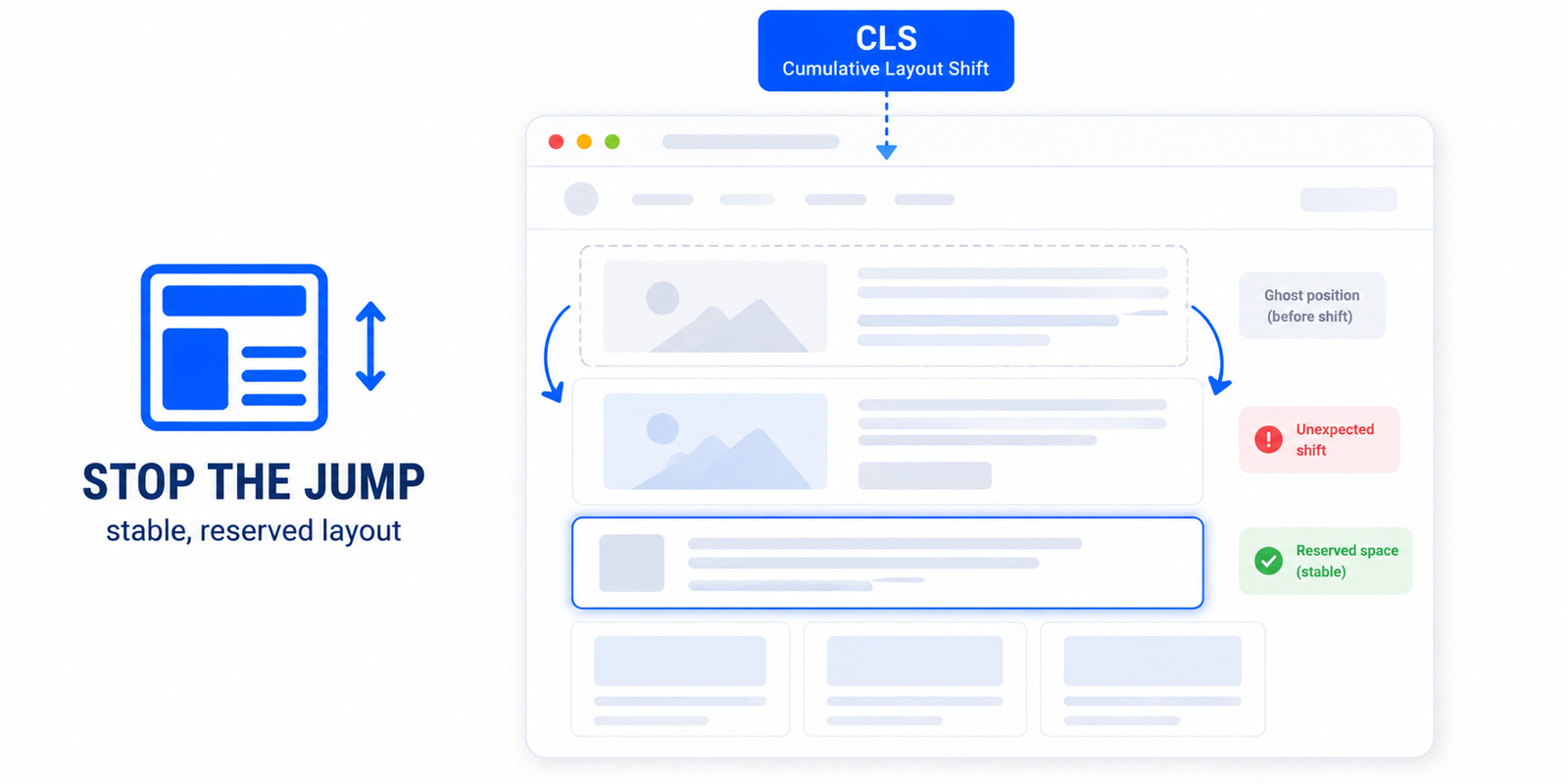
Cumulative Layout Shift measures how much your page visibly jumps while loading. To fix it, set width and height on every image and embed, reserve space for ads and dynamic content, and load fonts with font-display: swap so text doesn't reflow. Aim for a CLS score of 0.1 or less.
You have seen it as a user: you go to tap a button, an image loads above it, and the whole page lurches down so you tap the wrong thing. That is layout shift, and Google measures it as Cumulative Layout Shift (CLS) — one of the three Core Web Vitals. A high CLS score is both a ranking concern and a genuine annoyance for visitors. Here is what causes it on WordPress and how to fix each source.
What CLS measures
CLS quantifies how much visible content moves unexpectedly while the page loads. Every time an element jumps without the user causing it, that shift is scored by how much of the screen moved and how far. The scores add up into one number: 0.1 or less is good, 0.1 to 0.25 needs improvement, and above 0.25 is poor. Unlike load-speed metrics, CLS is about stability — and small fixes often clear it entirely.
The main causes of layout shift in WordPress
- Images without dimensions. If an
<img>has no width and height, the browser does not know how much space to reserve, so surrounding content jumps when the image arrives. This is the number-one cause. - Web fonts that swap late. When a custom font loads after the page renders, text re-flows as it switches from the fallback font, shifting everything around it.
- Ads, embeds, and iframes with no reserved space. A banner or YouTube embed that loads into an unsized container pushes content down when it appears.
- Content injected by JavaScript — cookie banners, notification bars, dynamically loaded sections — that pushes existing content out of the way.
- Lazy-loaded elements without placeholders, which collapse and then expand as they load.
How to fix each source
- Always set image dimensions. Add width and height attributes (or an aspect-ratio in CSS) to every image so the browser reserves the right space before the file arrives. WordPress adds these automatically for media-library images, but theme and page-builder images often miss them.
- Stabilise fonts. Use
font-display: swapand, where possible, preload your main web font so the swap happens early and minimally. We cover this fully in ensuring text stays visible during webfont load. - Reserve space for ads and embeds. Give every ad slot, iframe, and embed a fixed-size container so its arrival does not move anything.
- Pin injected elements. Render cookie bars and notification banners in a way that overlays content or has reserved height, rather than pushing the page down.
- Use proper lazy-load placeholders. Ensure lazy-loaded images and iframes keep their dimensions reserved while they load.
Doing it the easy way in WordPress
Most CLS on a WordPress site comes from just two sources — undimensioned images and late-swapping fonts — and both can be handled automatically. Easy Optimizer adds missing width and height attributes to images during optimisation, applies font-display: swap through its font handling, and keeps dimensions reserved when lazy-loading — which clears the bulk of layout shift without editing your theme. After enabling it, re-test and address any remaining shifts from ads or injected content manually.
Why CLS matters beyond the score
Layout stability is becoming important for more than human comfort. AI agents that navigate your site rely on elements staying where they expect them — if a button moves between the moment an agent locates it and the moment it acts, the interaction fails. We explore this in the Agentic Browsing audit, where CLS appears as a stability check. So fixing CLS now improves your Core Web Vitals and prepares your site for an agent-driven web — the same work, two payoffs.
What is a good CLS score?
0.1 or less is good, 0.1 to 0.25 needs improvement, and above 0.25 is poor. CLS measures visual stability rather than speed, and small fixes like setting image dimensions often bring it well under the target.
What causes Cumulative Layout Shift in WordPress?
The most common causes are images without width and height, web fonts that swap in late, ads or embeds in unsized containers, and JavaScript-injected elements like cookie bars that push content down. Reserving space for each one fixes the shift.
How do I stop my page from jumping while it loads?
Reserve space for everything that loads after the initial paint: set dimensions on images and embeds, give ad slots fixed-size containers, load fonts with font-display: swap, and overlay rather than push down banners. The page then stays put as elements arrive.
Do image dimensions really affect CLS?
Yes — missing image dimensions are the single biggest cause of layout shift. Without width and height, the browser can’t reserve space, so content jumps when the image loads. Adding dimensions is the highest-impact CLS fix.
Can a plugin fix CLS automatically?
Mostly. Easy Optimizer adds missing image dimensions, applies font-display: swap, and reserves space for lazy-loaded elements, which clears the most common sources of layout shift. Shifts from ads or injected content may still need a manual tweak.
Does CLS matter for AI agents?
Yes. Agents that interact with your site depend on elements staying in place; a button that moves can cause the action to fail. CLS appears as a stability check in Google’s Agentic Browsing audit, so fixing it helps both users and agents.