 Uzair
Uzair 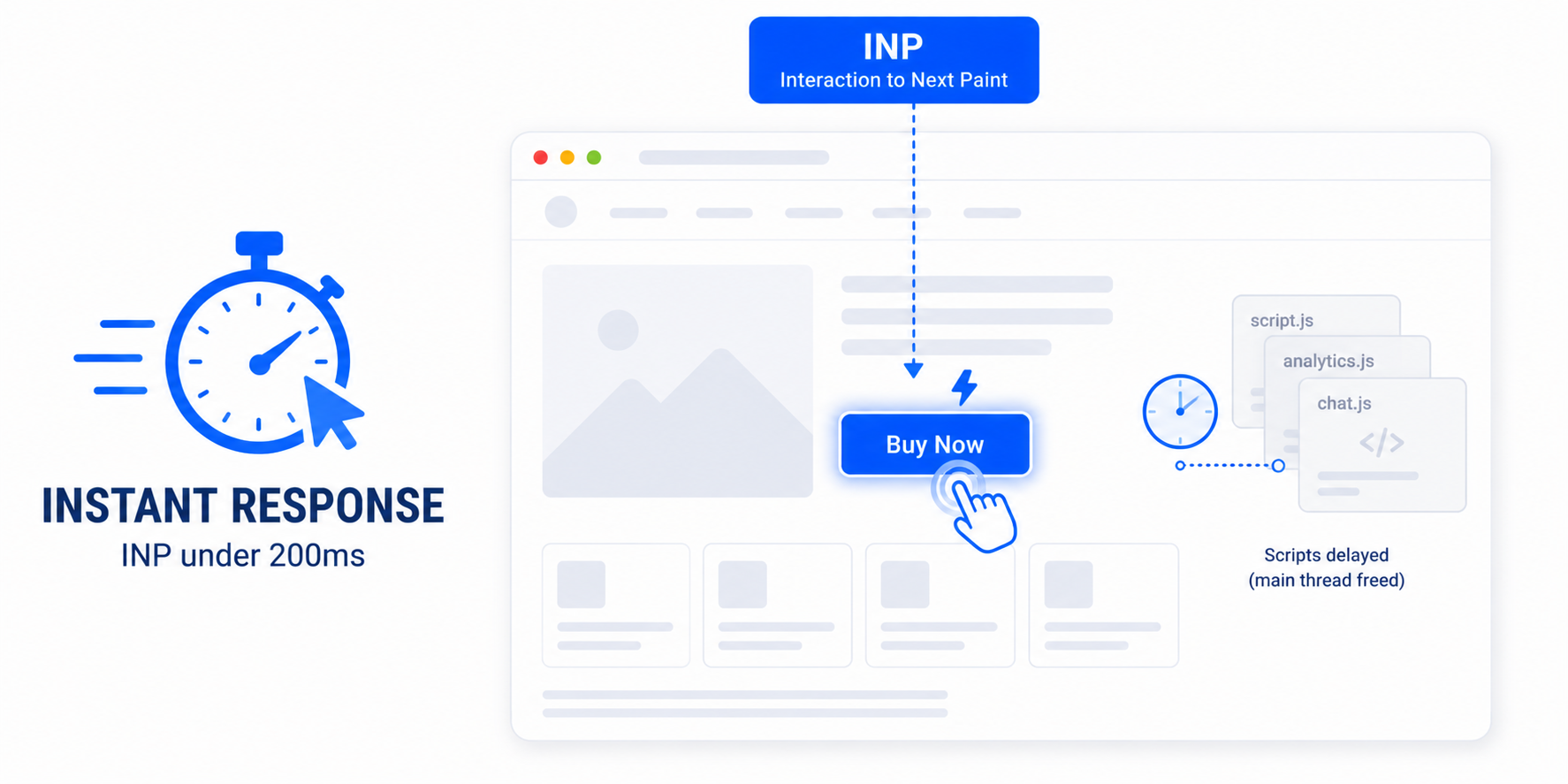
Interaction to Next Paint measures how quickly your page responds when a user clicks, taps, or types. WordPress sites fail it when heavy JavaScript blocks the main thread. Improve INP by delaying and deferring non-essential scripts, removing unused JavaScript, and trimming bloated plugins. Aim for 200 milliseconds or less.
In March 2024, Google replaced First Input Delay with Interaction to Next Paint (INP) as a Core Web Vital — and a lot of WordPress sites that passed the old metric started failing the new one. INP is a tougher, more honest measure of how responsive your site actually feels. This guide explains what it measures, why WordPress struggles with it, and how to improve it.
What INP measures (and how it differs from FID)
INP measures the delay between a user interaction — a click, tap, or key press — and the moment the browser visually responds. Crucially, it looks at all interactions across a visit and reports a value close to the worst one, then measures the full response time, not just the initial delay. First Input Delay only measured the wait before the browser started processing the very first interaction, which made it easy to pass. INP is far harder to fool. The targets: 200 milliseconds or less is good, 200 to 500 needs improvement, and over 500 is poor.
Why WordPress sites have poor INP
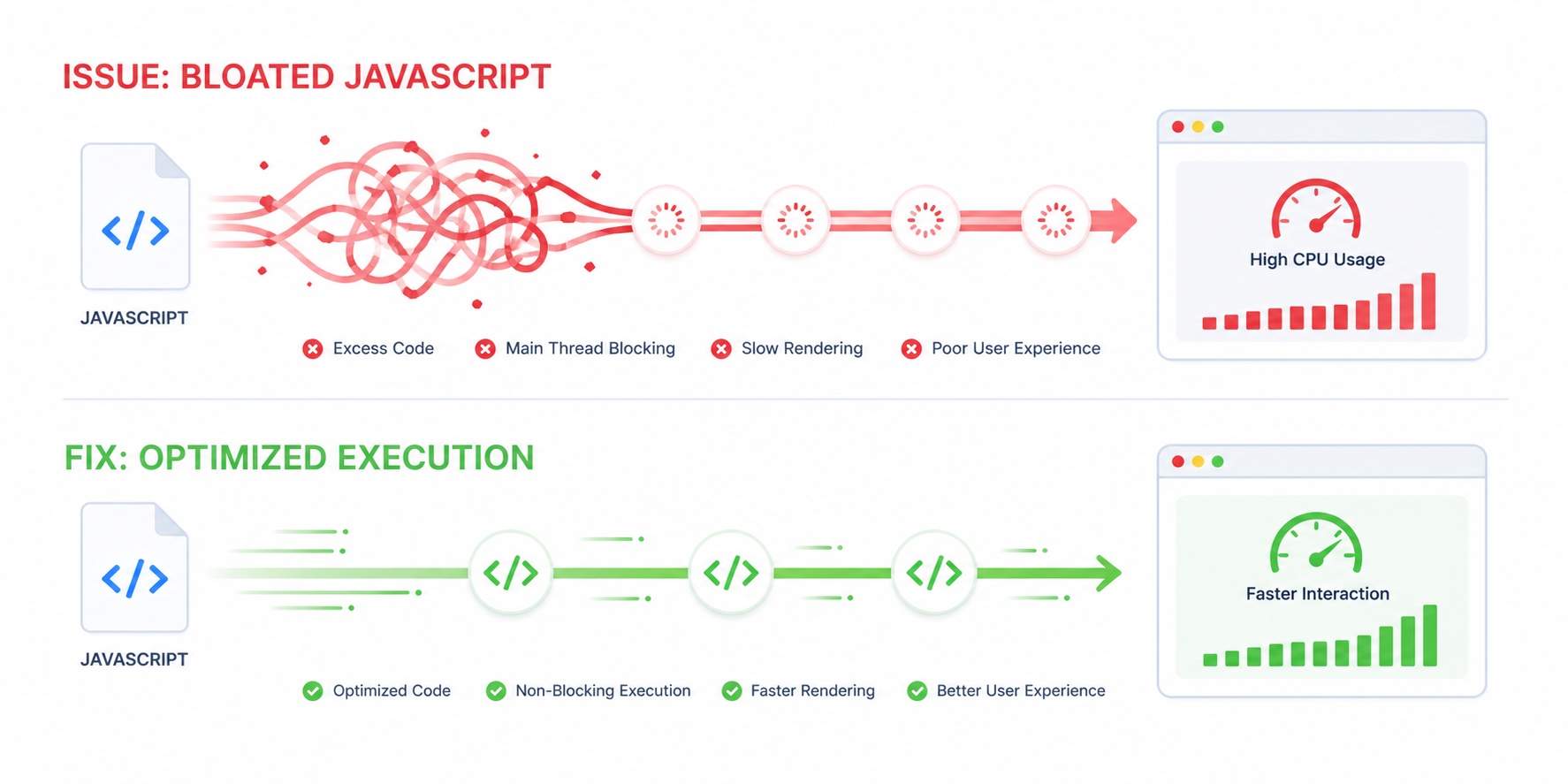
INP is almost always a JavaScript problem. When a user interacts, the browser needs the main thread free to respond — but on a typical WordPress site the main thread is busy executing scripts:
- Too many plugins loading JavaScript on every page, each adding event handlers and work.
- Heavy page-builder and theme scripts running on load.
- Third-party scripts — analytics, chat widgets, ad tags, embeds — competing for the main thread.
- Large, unoptimised scripts that take a long time to parse and execute.
While the main thread is occupied, every tap and click waits in line. That wait is your INP.
How to improve INP in WordPress
- Delay JavaScript until interaction. Hold non-essential scripts — chat widgets, analytics, social embeds — until the user first interacts with the page, so they do not occupy the main thread during the critical early window. This is often the single biggest INP win.
- Defer non-critical JavaScript. Load scripts that are not needed immediately after the page has rendered, rather than blocking it.
- Remove unused JavaScript. Stop loading scripts on pages that do not use them — a contact-form script does not need to run on your blog posts.
- Audit heavy plugins. Identify plugins adding disproportionate JavaScript and replace or remove the worst offenders.
- Break up long tasks. For custom code, split long-running JavaScript into smaller chunks so the browser can respond to input between them.
The easy path in WordPress
You do not need to hand-edit script loading to make a dent in INP. Easy Optimizer includes delay JavaScript and defer JavaScript controls that hold non-essential scripts until interaction and move the rest out of the render path, plus tools to identify which plugins are loading the most. That directly frees the main thread, which is exactly what INP rewards. After enabling it:
- Turn on delay and defer for JavaScript, then test your interactive elements — menus, sliders, add-to-cart, forms.
- Exclude any script that a feature needs immediately (so nothing breaks).
- Use the analyzer to find the heaviest plugins and decide what to trim.
- Re-check INP in field data, since responsiveness is measured on real interactions.
A note on measuring INP
INP is best judged on real-user (field) data, because it depends on how actual visitors interact with your pages — a lab test cannot click everything. Check the field data in PageSpeed Insights or your Search Console Core Web Vitals report, and give it a few weeks to reflect your changes. For the full picture alongside LCP and CLS, see Core Web Vitals for WordPress.
What is a good INP score?
200 milliseconds or less is good, 200 to 500 needs improvement, and over 500 is poor. INP is measured across all interactions in a visit, so the goal is consistently fast responses, not just a fast first click.
What’s the difference between INP and FID?
First Input Delay only measured the wait before the browser began processing your first interaction. INP measures the full response time for all interactions and reports close to the worst one — a much stricter, more realistic measure of responsiveness.
Why is my INP poor in WordPress?
Almost always because too much JavaScript keeps the main thread busy. Plugins, page-builder scripts, and third-party tags all run on load, so when a user taps, the browser can’t respond until that work clears. Reducing and delaying JavaScript fixes it.
Does delaying JavaScript improve INP?
Yes — significantly. Holding non-essential scripts until the user first interacts keeps the main thread free during the critical early window, so interactions respond faster. It is usually the highest-impact INP fix on WordPress.
Can a plugin improve INP automatically?
Largely. Easy Optimizer can delay non-essential JavaScript until interaction, defer the rest, and help you find the heaviest plugins — all of which free the main thread that INP depends on. Test interactive elements after enabling and exclude anything a feature needs immediately.
Why didn’t my INP improve right away?
INP is reported from real-user field data, which updates over time rather than instantly. After making changes, check the field data in PageSpeed Insights or Search Console and allow a few weeks for it to reflect the improvement.
![Image Elements Do Not Have [alt] Attributes](https://cdn.fluxpress.io/fp5nquhs1rvv02/mHynEZiC/rs:fit:2560:0/plain/https://fluxpress.io/wp-content/uploads/2026/06/Image-Elements-Do-Not-Have-alt-Attributes.png)